
Compact integration
A 21 × 21 × 10.3 mm core envelope and 9 g core weight, excluding the lens.
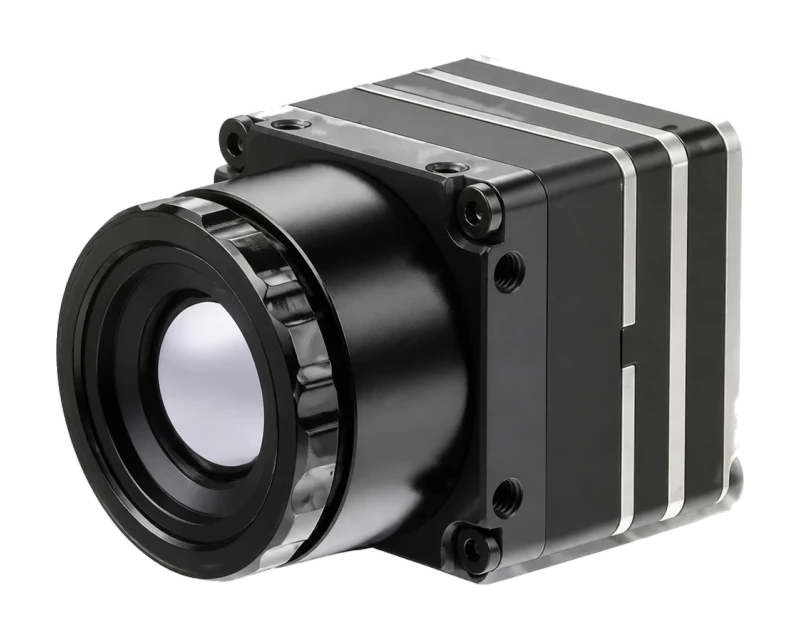
Product rendering.
Thermal imaging module
A 640 × 512 uncooled LWIR observation module with 12 μm pixels, a listed 60 Hz detector frame rate, CVBS and USB 2.0 video output.
Imaging version. Video output only, with no temperature data. For temperature measurement, use MINI 640-2 Radiometric
No minimum order · In stock · Samples ship within 1 working day of payment
Product overview
A 21 × 21 × 10.3 mm core envelope and 9 g core weight, excluding the lens.
CVBS and USB 2.0 video output, with UART, I²C and USB 2.0 communication options. Request the interface details for your configuration.
The listed 9.1 mm F0.8 option can be discussed alongside field of view, working distance and mechanical requirements.
Technical reference
Specifications describe the listed configuration and stated conditions.
Request a quote| Parameter | Value |
|---|---|
| Detector & image | |
| Detector | VOx uncooled infrared FPA |
| Resolution | 640 × 512 pixels |
| Pixel pitch | 12 μm |
| Spectral band | 8–14 μm |
| Detector frame rate | 60 Hz |
| NETD | ≤ 40 mK at 25°C, F/1.0, 25 Hz |
| Interfaces & power | |
| Video output | CVBS + USB 2.0 |
| Communication | UART / I²C / USB 2.0 |
| Power supply | 5 V ±5% |
| Typical power consumption | ≤ 650 mW, USB output at 25°C |
| Mechanical & environment | |
| Core dimensions | 21 × 21 × 10.3 mm, excluding lens |
| Core weight | 9 g, excluding lens |
| Operating ambient temperature | −40°C to +80°C |
ENGINEERING & PROCUREMENT
No. MINI 640-2 is the imaging version: it outputs video only, with no temperature data. For temperature measurement, choose MINI 640-2 Radiometric: a separate 640 × 512 core with two measurement ranges (−20°C to 150°C and 100°C to 650°C), typical accuracy of ±2°C or ±2%, and temperature data over USB, MIPI or DVP.
Yes. Plug MINI 640-2 into a Windows PC over USB 2.0 and it is ready to use. Windows sees it as a USB camera, with no driver to install; on a laptop with a built-in webcam, disable the built-in camera first. CVBS analog video and UART / I²C control are also listed. For Linux or embedded hosts, or before designing your own wiring, confirm the connector pinout and host support with us.
The manual lists a 60 Hz detector frame rate. NETD is separately specified as ≤ 40 mK at 25°C, F/1.0 and 25 Hz. These are different stated conditions: do not assume the NETD figure is validated at 60 Hz or with the 9.1 mm F0.8 lens. Confirm delivered video timing and sensitivity for the chosen configuration.
No. Both figures refer to the MINI 640-2 core without the lens. The listed 9.1 mm F0.8 lens and flange weigh 13 g ±1 g. Boards, connectors, cables and mounting hardware depend on the chosen assembly; request its complete drawing and mass before allocating space or payload capacity.
There is no minimum order; you can start with one unit. MINI 640-2 is in stock, and samples ship within one working day of payment. Prices are quoted for your configuration, quantity and destination.
Prepare the next step
Tell us the application, lens, output and quantity. We confirm the sample configuration and price before you order.
DESIGN-IN GUIDES
Choose a lens for a 640 × 512 thermal core: coverage width, pixel size and measuring distance for 9.1, 13.5 and 18 mm lenses, and the horizontal-or-diagonal check for wide angles.
How temperature data leaves a radiometric thermal core over USB, MIPI CSI-2 or DVP, why analog video cannot carry it, and five questions to ask before design-in.
A mechanical checklist for a 21 × 21 mm thermal core: size with the lens, M2 mounting, the 50-pin DF40 connector, 5 V power, the infrared window, heat and ambient limits.
What a radiometric module’s “±2°C or ±2%” accuracy covers, and what matters more on a real target: emissivity, reflections, spot size, distance, windows, ambient temperature and NUC.
Why a thermal core smears on drones, vehicles and trains, why a higher frame rate does not fix it, and at what speed temperature readings drop (calculated).
Why glass and most plastics block long-wave infrared, what a germanium window and its coatings need, how a window shifts readings, and how to size it.
What thermal payloads on inspection robots use, and what to check: pixels on target, field of view in aisles, temperature range, stop-and-measure, close focus.
Product documents
Start with the product overview. Ask us for the technical documents available for your selected configuration.
Thermal imaging module · Product overview · PDF · R2
Purchasing support
We clarify your product and application requirements, then coordinate supplier confirmation of the proposed configuration.
We record the agreed sample model, configuration and included items, then review any changes before an order proceeds.
We track supplier progress, coordinate order documents and follow up on open issues, keeping the next step and responsible party clear.
Continue exploring
A lens option for the MINI 640-2 platform.